
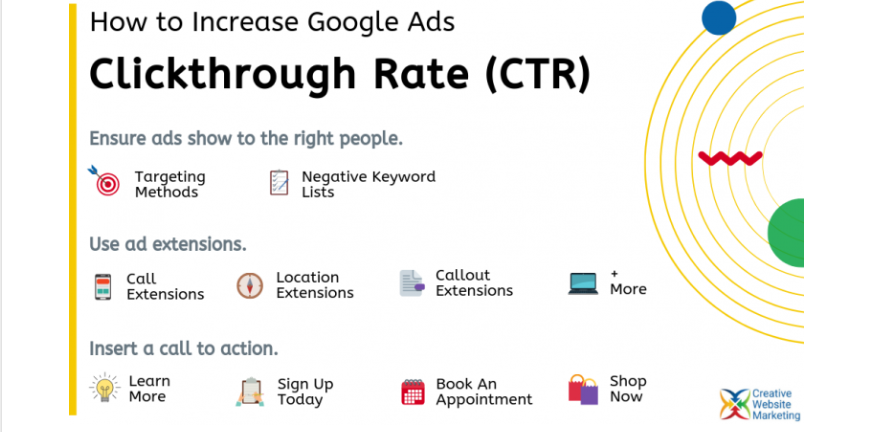
Using Extensions to Improve Google Ads Click-Through Rate
In the competitive world of Google Ads, getting your ad seen isn’t enough; you need users to click. That’s where ad extensions come in. These powerful add-ons can significantly increase your click-through rate (CTR) by giving your ads more visibility, value, and relevance.
If you’re not using ad extensions (or not using them effectively), you’re leaving clicks and revenue on the table.
In this post, we’ll cover:
-
What ad extensions are
-
How they influence ad performance
-
The different types of extensions you should be using
-
Best practices to maximize your CTR
🔍 What Are Google Ads Extensions?
Ad extensions are additional pieces of information you can include in your Google Ads to make them more informative and appealing. They expand the size and detail of your ad, giving potential customers more reasons to click.
Extensions can show:
-
Links to specific pages
-
Phone numbers
-
Additional text
-
Business locations
-
Ratings or promotions
Best of all, they don’t cost extra—you only pay for clicks like usual.
💡 Why Extensions Matter for CTR
Google Ads with extensions:
-
Take up more real estate in the search results
-
Appear more trustworthy and professional
-
Increase relevance by providing users with more choices and context
According to Google, using multiple ad extensions can improve CTR by 10–15%, depending on industry and search intent.
🧩 Types of Google Ads Extensions (And When to Use Them)
Here are the most valuable types of extensions to improve CTR:
1. Sitelink Extensions
Add extra links beneath your main ad to drive users to specific pages (e.g., Services, Pricing, About Us).
When to use: For directing traffic to relevant internal pages.
✅ Example:
Main Ad: “Affordable SEO Services – Get Ranked in 2025”
Sitelinks: “Local SEO,” “Technical Audits,” “Pricing Plans,” “Client Results”
2. Callout Extensions
Show short snippets of value or features (e.g., “Free Shipping,” “24/7 Support”).
When to use: To highlight benefits or selling points quickly.
✅ Pro tip: Use 4+ to increase visibility.
3. Structured Snippets
Highlight a category of products, services, or features using predefined headers like “Types,” “Brands,” or “Courses.”
When to use: When you want to show variety or specialization.
✅ Example: “Types: SEO, PPC, Content Marketing, Email Automation”
4. Call Extensions
Let users call your business directly from the ad—especially powerful on mobile.
When to use: If phone calls are a primary conversion goal.
✅ Tip: Use call tracking to measure results.
5. Location Extensions
Display your business address, distance from the user, and map pin.
When to use: For brick-and-mortar businesses or service areas.
✅ Bonus: Sync with Google Business Profile for accuracy.
6. Image Extensions
Add visual appeal with images next to your search ads.
When to use: In visually-driven industries like retail, real estate, or food.
✅ Tip: Use high-quality, relevant images to boost engagement.
7. Promotion Extensions
Show time-sensitive deals or sales directly in your ads.
When to use: For seasonal campaigns, sales events, or limited-time offers.
✅ Example: “25% Off All Courses – Ends Sunday”
8. Lead Form Extensions
Collect leads directly from the SERP with embedded forms.
When to use: For B2B, service-based businesses, or newsletters.
✅ Tip: Use as a low-friction CTA—no landing page needed.
📈 Best Practices to Maximize CTR with Extensions
-
Use Multiple Extension Types
Google chooses which ones to display based on performance—so give it options. -
Keep Extensions Relevant to the Ad Group
Match your extensions to the user intent behind the keywords. -
Update Extensions Regularly
Outdated promos or broken links can lower Quality Score and hurt CTR. -
Use Dynamic Extensions (With Caution)
Google can auto-generate extensions like sitelinks or structured snippets—but always monitor for accuracy. -
Monitor Performance in Google Ads
Go to the Extensions tab to track impressions, CTR, and conversions per extension.
🚀 Final Thoughts
Ad extensions are one of the easiest ways to boost your Google Ads CTR—no new campaigns, no extra budget, just better formatting and relevance. When you combine the right keywords with compelling ad copy and optimized extensions, your ads will stand out, attract more clicks, and ultimately convert better.
Start testing different extensions today, and you’ll quickly see which combinations drive the best performance for your goals.


