
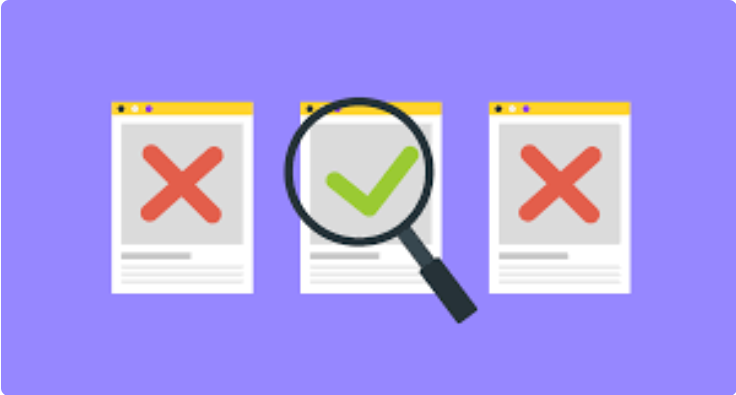
Using Negative Keywords to Cut Wasted Spend
If you’re running pay-per-click (PPC) campaigns and not using negative keywords, you’re probably leaving money on the table or, worse, burning through your budget on irrelevant clicks.
Negative keywords are one of the most overlooked yet powerful tools in your PPC toolbox. They help filter out traffic you don’t want, ensuring your ads appear only for searches that align with your goals.
Here’s a deep dive into how negative keywords work, why they matter, and how to use them to cut wasted spend and boost your return on ad spend (ROAS).
What Are Negative Keywords?
Negative keywords are terms you explicitly tell Google Ads, Microsoft Ads, or other PPC platforms not to trigger your ads for. If a user includes a negative keyword in their search query, your ad won’t appear.
For example:
-
You sell premium leather jackets. If someone searches for “cheap leather jackets,” you probably don’t want to pay for that click.
-
Adding “cheap” as a negative keyword prevents your ad from showing for that query.
Why Negative Keywords Matter
-
Reduce Irrelevant Clicks
Your budget is precious. Every click should bring you closer to a conversion. Negative keywords help eliminate traffic from users who aren’t a good fit. -
Improve Click-Through Rate (CTR)
By filtering out the noise, your ads are shown to more qualified users — boosting your CTR and improving Quality Score. -
Enhance Conversion Rates
Fewer irrelevant clicks = a higher percentage of converting traffic. -
Stretch Your Budget Further
Cut wasted spend and get more value from the same ad budget.
🔍 Common Types of Negative Keywords to Use
-
Price Sensitivity
-
cheap, free, low-cost, budget
(If you sell high-end or premium products)
-
-
Job Seekers
-
jobs, careers, hiring, resume
(If you’re not hiring)
-
-
Educational Content
-
how to, tutorial, learn, DIY
(If you’re selling a product/service, not offering instructions)
-
-
Geographic Irrelevance
-
city names, countries, “near me”
(If you’re targeting specific locations)
-
-
Unrelated Products or Services
-
Add terms that refer to products you don’t offer, even if they include your keywords.
-
🧰 How to Find Negative Keywords
-
Use the Search Terms Report
In Google Ads, go to Keywords > Search Terms. This shows actual searches that triggered your ads. Look for terms that:-
Don’t match your offer
-
Have high spend but no conversions
-
Seem irrelevant or misleading
-
-
Keyword Research Tools
Use tools like SEMrush, Ahrefs, or Ubersuggest to explore common search phrases. Watch out for terms that don’t fit your audience. -
Google Suggest & Related Searches
Search your keywords on Google and check autocomplete or related searches at the bottom of the page for potential negatives. -
Ask Your Sales Team or Customers
They often know what people confuse your product or service with.
✏️ How to Add Negative Keywords
In Google Ads, go to:
-
Campaign or Ad Group level > Keywords > Negative Keywords
-
You can add:
-
Negative broad match – excludes any query containing the word(s)
-
Negative phrase match – excludes exact phrases in the same order
-
Negative exact match – excludes queries that match exactly
-
Pro Tip: Use negative keyword lists to apply the same exclusions across multiple campaigns efficiently.
🧩 Smart Negative Keyword Strategy
-
Start small and build your list over time.
-
Regularly audit your search terms report (at least once a week for active campaigns).
-
Separate brand and non-brand campaigns with distinct negative keyword lists.
-
Don’t go overboard — being too aggressive can block valuable traffic.
-
Layer with audience exclusions and geotargeting for tighter control.
🚀 Final Thoughts
Negative keywords may seem like a “set it and forget it” feature, but they deserve your ongoing attention. Think of them as guardrails for your budget, ensuring every dollar is pointed in the right direction.


