

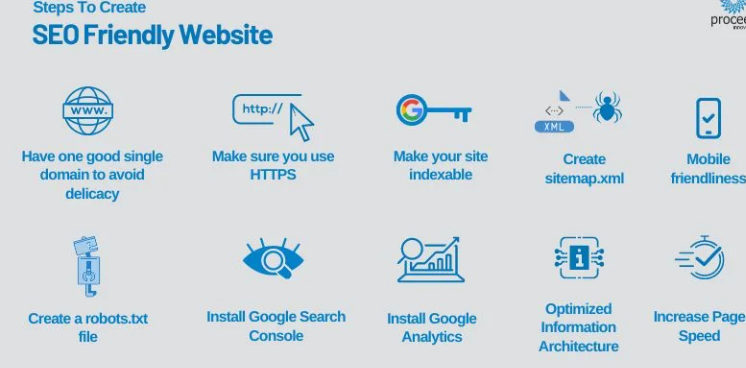
SEO-Friendly Website Structure: Tips for Better Indexing
In the fast-paced world of search engine optimization, content may be king, but structure is the foundation. Even the most compelling content can get buried if your website isn’t organized in a way that helps search engines crawl and index it effectively.
That’s where an SEO-friendly website structure comes in.
Whether you’re building a site from scratch or optimizing an existing one, a clean, logical structure can improve your rankings, enhance user experience, and help you scale your digital presence with ease.
Why Website Structure Matters for SEO
Search engines like Google use bots (or “crawlers”) to scan websites, understand their content, and decide how to rank them. A well-structured site:
-
Makes it easier for bots to navigate and index your pages
-
Helps distribute link equity across your site
-
Reduces crawl errors and improves site speed
-
Enhances user experience and reduces bounce rate
-
Boosts your chances of appearing in featured snippets and sitelinks
In short, Structure impacts both technical SEO and on-page performance.
Key Tips to Build an SEO-Friendly Website Structure
1. Use a Clear Hierarchy
Think of your website like a tree:
-
The homepage is the trunk
-
Main categories are branches
-
Subcategories and pages are leaves
Each page should be no more than 3 clicks away from the homepage. A flat but organized hierarchy ensures users and bots can reach any page quickly.
Example:
2. Create a Logical URL Structure
URLs should be:
-
Short and descriptive
-
Include relevant keywords
-
Use hyphens (not underscores) for spacing
Good: SEO-Friendly Website Structurewww.example.com/blog/seo-tips
Bad: SEO-Friendly Website Structurewww.example.com/page?id=1234
Avoid dynamic URLs when possible and stick to a consistent format across your site.
3. Use Internal Linking Strategically
Internal links:
-
Guide users to related content
-
Help search engines discover and rank deeper pages
-
Pass authority from high-ranking pages to others
Link from blog posts to service pages, pillar content to cluster posts, and don’t forget to update old content with new internal links.
4. Optimize Navigation Menus
Your main navigation should be:
-
Simple and intuitive
-
Reflective of your core services or content categories
-
Not overloaded—limit top-level items to 5–7
Include a footer menu with links to legal pages, contact info, and key categories for crawlability.
5. Add Breadcrumb Navigation
Breadcrumbs show users where they are in the site hierarchy:
They improve usability and provide additional internal links for Google to follow.
6. Create an HTML Sitemap
An HTML sitemap is a user-facing list of links to important pages. While not critical for small sites, it helps larger sites ensure pages are indexed and discoverable.
Pair this with an XML sitemap, which you can submit in Google Search Console for crawl priority.
7. Use Canonical Tags Correctly
If your site has duplicate content (like product variations), use canonical tags to tell Google which version to prioritize. This avoids confusion and protects your rankings.
8. Make It Mobile-Friendly
With mobile-first indexing, a responsive design is non-negotiable. Use a mobile-friendly layout that:
-
Loads quickly
-
Has readable fonts
-
Uses intuitive navigation and buttons
Run tests using Google’s Mobile-FriendlyTest.
9. Improve Page Speed
Structure affects speed. Avoid unnecessary redirects, reduce image sizes, and use caching tools or CDNs. Fast-loading sites get indexed more efficiently and offer better UX.
10. Monitor Crawlability
Use tools like:
-
Google Search Console to track crawl errors
-
Screaming Frog or Sitebulb to audit internal links and structure
-
Ahrefs, SEMrush, or Moz for crawl diagnostics
Fix broken links, orphaned pages, and crawl bottlenecks regularly.
Bonus Tip: Plan for Growth: SEO-Friendly Website Structure
Your structure should be scalable. Whether you’re adding 5 blog posts or 50 product pages, you should have a system that allows for logical expansion without clutter.
Group content in topic clusters, use consistent naming conventions, and update sitemaps as you grow.
Final Thoughts on SEO-Friendly Website Structure
A great website isn’t just beautiful—it’s strategically structured for search visibility and user experience.
When you design with SEO in mind:
-
Your content gets discovered
-
Your pages rank better
-
Your visitors stick around longer
So, if you haven’t looked under the hood of your site in a while, now’s the time to audit your structure and optimize for both bots and humans.


