

Ad Management Tools: Google Ads Editor, Meta Business Suite & More
Managing digital advertising campaigns across multiple platforms can quickly become overwhelming without the right tools. Fortunately, ad management platforms are designed to streamline everything from campaign creation and budget management to performance optimization and reporting.
Whether you’re running ads on Google, Meta, LinkedIn, or other channels, having the right tool in your stack can make a huge difference in efficiency and ROI. In this post, we’ll break down some of the top ad management tools in 2025, what they’re best at, and how to choose the right one(s) for your needs.
🛠️ Why Ad Management Tools Matter
-
Centralized control: Manage multiple campaigns from one interface
-
Time savings: Make bulk changes, automate workflows, and monitor results faster
-
Improved accuracy: Reduce errors with preview tools and version control
-
Better insights: Enhanced reporting helps you make smarter decisions
🔝 Top Ad Management Tools in 2025
1. Google Ads Editor
Best For: Power users managing large or complex Google Ads accounts
Key Features:
-
Offline editing and bulk uploads
-
Search and replace across campaigns
-
Copy/paste ad groups and settings
-
Drafts for review before pushing live
Why It’s Great:
If you’re handling hundreds (or thousands) of campaigns, Google Ads Editor is a lifesaver. It gives you complete offline access, which is perfect for testing, auditing, and making sweeping changes quickly.
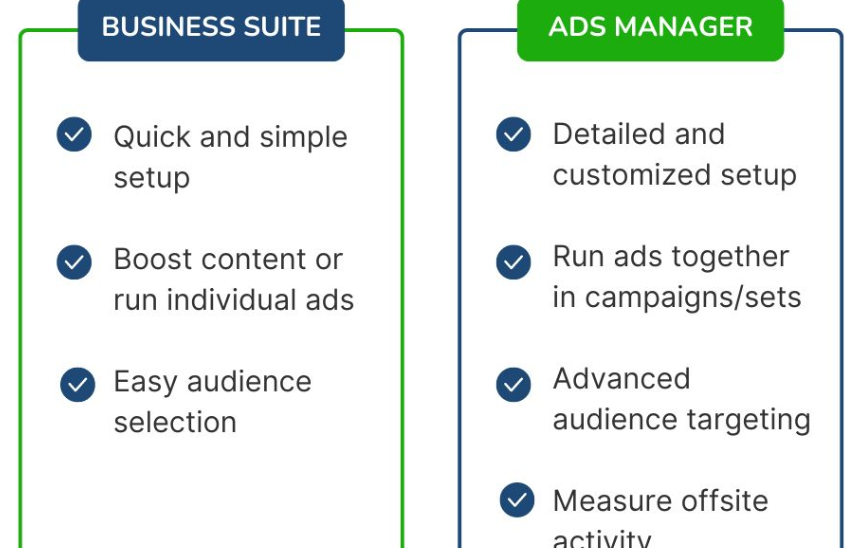
2. Meta Business Suite
Best For: Managing Facebook and Instagram ads, pages, and messages
Key Features:
-
Create and schedule ads across Meta platforms
-
Access unified insights and engagement metrics
-
Manage ad comments and DMs from one inbox
-
Integration with Instagram Shops and Facebook Pages
Why It’s Great:
Meta Business Suite centralizes your content and advertising strategy, making it easy to coordinate organic and paid campaigns — especially valuable for social-first brands.
3. LinkedIn Campaign Manager
Best For: B2B marketers targeting professionals by job title, company, or industry
Key Features:
-
Matched Audiences for account-based marketing
-
In-depth demographic insights
-
Lead gen form integration
-
Sponsored messaging capabilities
Why It’s Great:
If you’re selling to decision-makers or working in a niche industry, LinkedIn’s targeting capabilities are unmatched — and its Campaign Manager makes running those ads more intuitive.
4. Microsoft Ads Editor
Best For: Businesses expanding to Bing and Microsoft platforms
Key Features:
-
Bulk editing, offline changes, and import/export options
-
Ad schedule and bid adjustment controls
-
Easy Google Ads import functionality
Why It’s Great:
Microsoft Ads Editor feels very similar to Google Ads Editor — a familiar layout that helps you manage Microsoft ad campaigns efficiently.
5. Skai (formerly Kenshoo)
Best For: Enterprise-level cross-platform ad management
Key Features:
-
Campaign automation across search, social, and e-commerce
-
AI-powered optimization and budget forecasting
-
Unified dashboards and attribution modeling
Why It’s Great:
Ideal for teams managing multi-million dollar ad spends across platforms. Skai offers enterprise-grade control, automation, and insight.
6. AdEspresso by Hootsuite
Best For: SMBs and agencies managing Facebook, Instagram & Google Ads
Key Features:
-
Easy A/B testing
-
Campaign performance dashboards
-
Client-friendly reporting templates
-
Integrations with HubSpot and Mailchimp
Why It’s Great:
AdEspresso simplifies the ad creation and optimization process, especially for teams that value clean visuals and clear reports.
7. Revealbot
Best For: Automating campaign decisions across Facebook, Google, TikTok
Key Features:
-
Rule-based automation (e.g., pause ads with low ROAS)
-
Slack integration for real-time updates
-
Auto-boosting top-performing posts
Why It’s Great:
Revealbot helps eliminate manual guesswork by automating campaign management based on performance triggers you define.
📊 Choosing the Right Tool
When deciding which ad management tool(s) to use, consider:
-
Your platforms (e.g., Google vs. Meta vs. LinkedIn)
-
Campaign scale (small business vs. enterprise-level)
-
Team size and workflow preferences
-
Need for automation or collaboration
-
Budget and reporting needs
🧩 Bonus: Tools That Integrate Multiple Platforms
-
HubSpot Ads Tool – Manage ads from Google, Meta, and LinkedIn inside HubSpot
-
Madgicx – AI-powered ad automation and performance insights across Facebook and Google
-
WordStream Advisor – User-friendly ad management and reporting for small businesses
✅ Final Thoughts
In today’s fast-paced digital world, having the right ad management tools isn’t just helpful — it’s essential. Whether you’re a solo marketer or part of a large team, leveraging platforms like Google Ads Editor, Meta Business Suite, or a third-party cross-channel manager can help you make smarter, faster decisions and drive better ad performance.


